Looking to create AI art but don’t want to invest in a subscription? Don’t worry — you can build a solid free AI toolkit using generators that cost nothing at all.
I spent one long week searching for the best tools to include in this free AI toolkit, testing everything myself so you don’t have to guess which ones are actually worth your time.
Depending on your needs, this free AI toolkit includes both entry-level AI image creators and advanced graphic design tools capable of bringing even the most complex visualizations to life. Below, I break down the top 5 free AI image generators, along with the best video and voice tools to round out your free AI toolkit.
Top 5 Free AI Image Generators
1. Bing Image Creator — Best for Beginners
If you are unfamiliar with image-generating AIs, this is the easiest starting point in any free AI toolkit. You just open the website, type your prompt, and it gives you images in return.
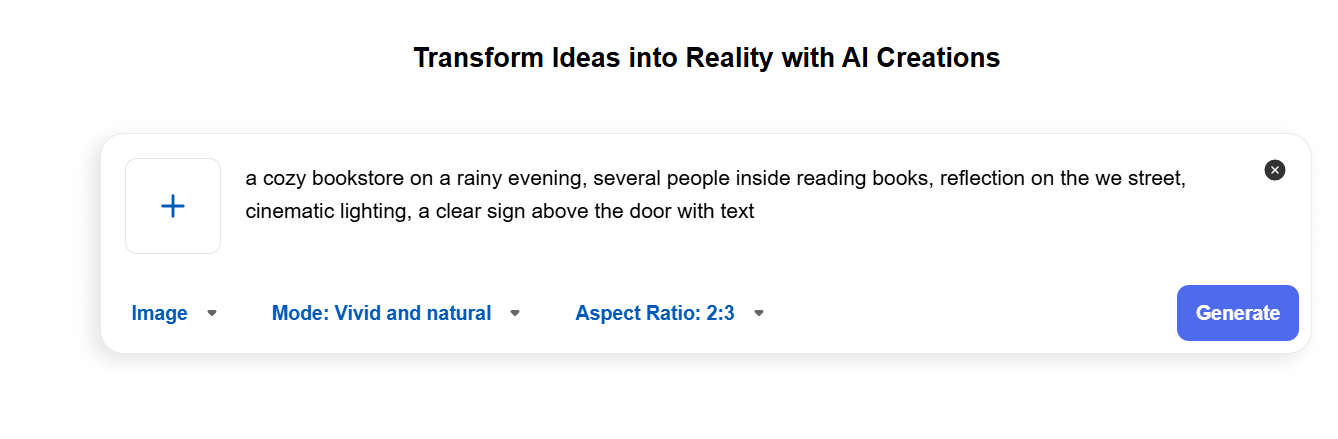
I tested the prompt: A cozy bookstore on a rainy evening, warm inside, lit windows reflected on the wet street, cinematic, realistic.
The result was accurate to the request. The cozy atmosphere and warm lighting created a comfortable feeling inside the bookstore. The reflection on the wet road was properly depicted in the image. Two pictures out of four could be used for a blog or as a thumbnail.
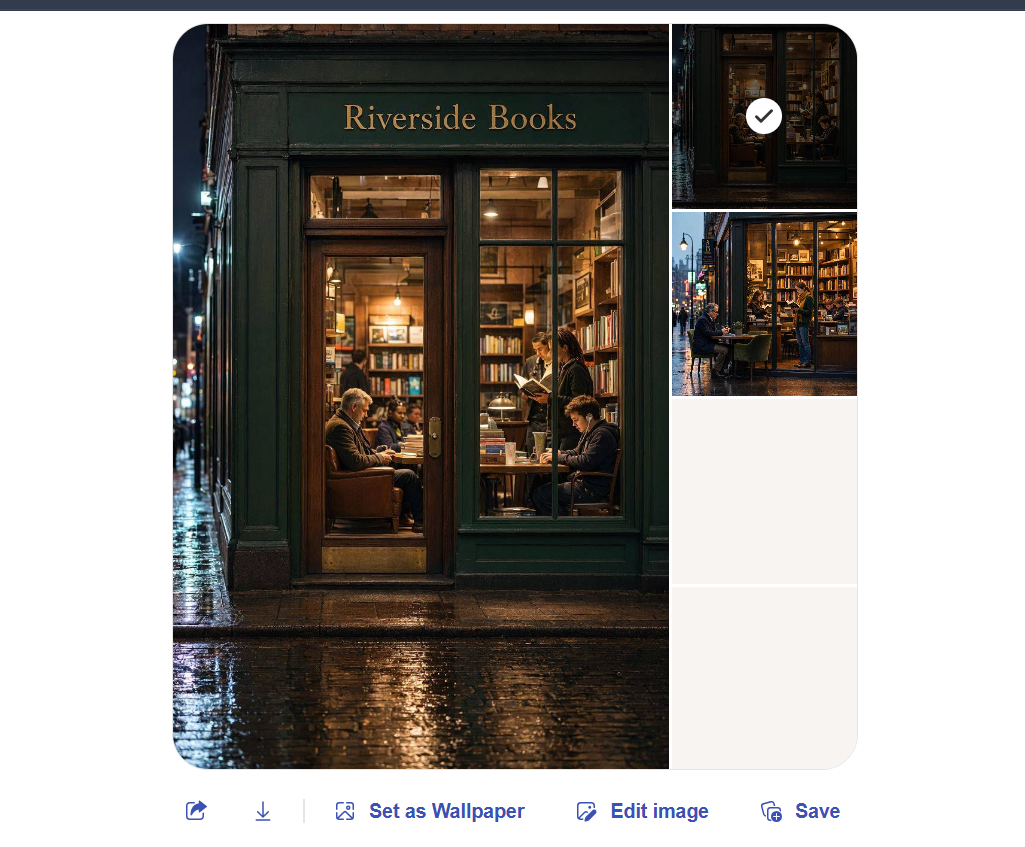
Overall: Bing Image Creator is the fastest way to get good (if occasionally weird) results, making it a solid entry point into any free AI toolkit. Just don’t overcomplicate your prompts.
2. Perchance AI — Best for Fast, No-Signup Image Generation
Perchance AI provides an uncomplicated and intuitive experience, which is exactly why it earns a spot in this free AI toolkit. There is no need to create an account or customize any specific settings. The only thing the user needs to do is enter their request and wait for the AI to generate the desired image, often within seconds.
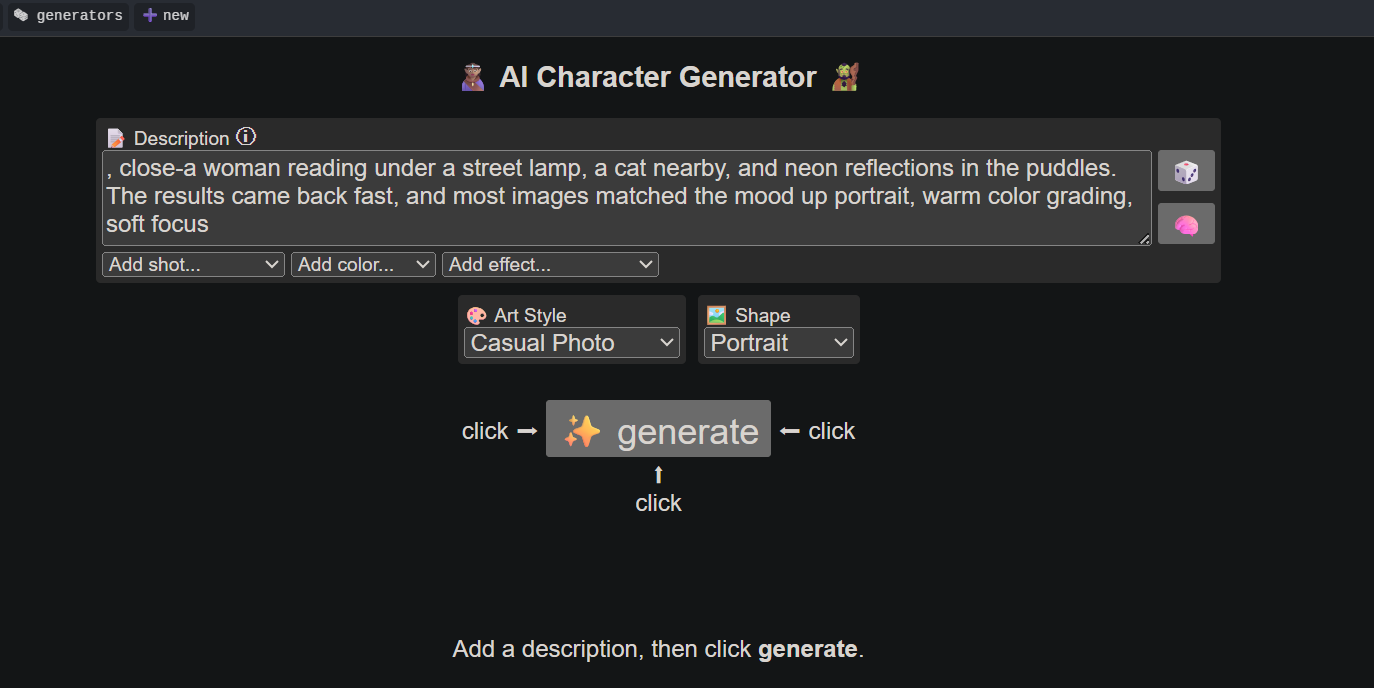
I tested the tool using the following prompt: A woman is sitting outside reading under a street light. There is a cat nearby and the reflection from the neon lights in the puddles. I got the results quite quickly, and most of them were appropriate to the given description.
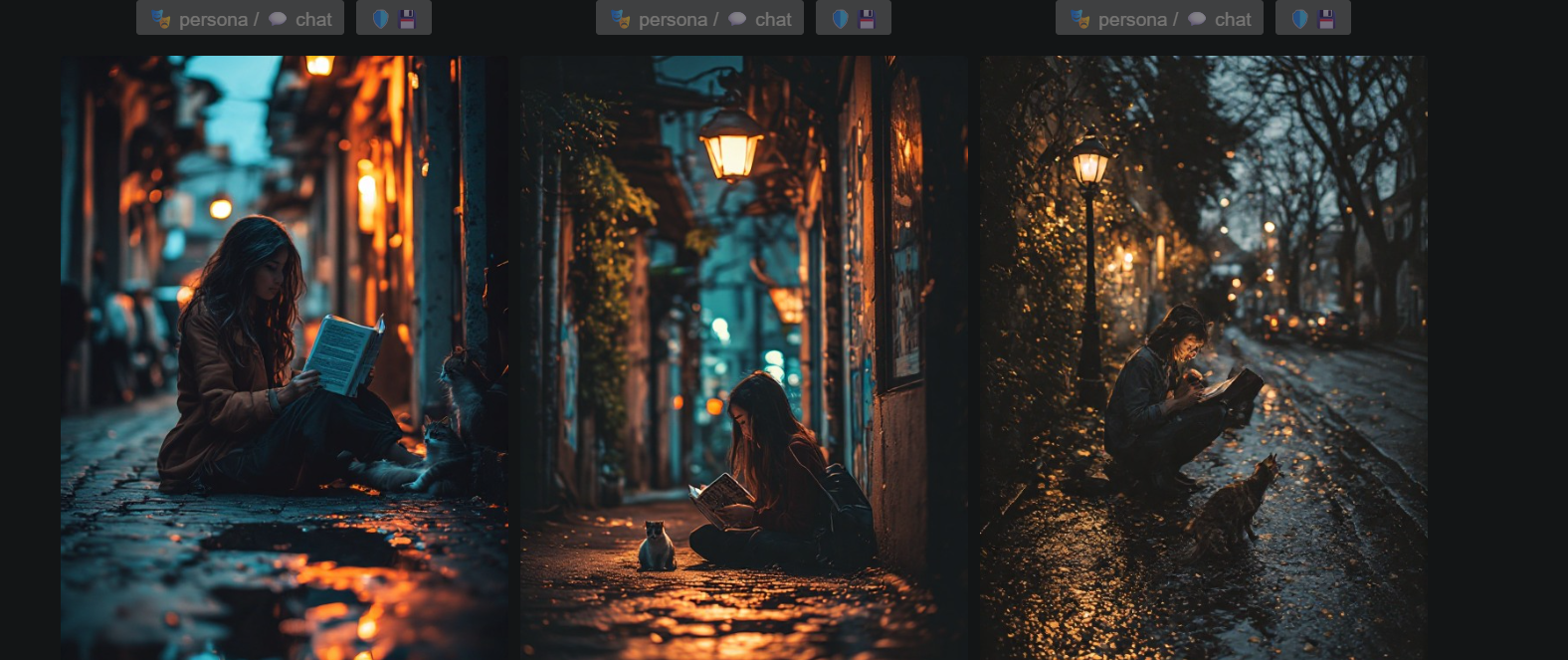
Overall: Perchance AI is great for people who want to generate images as a quick exercise without signing up or waiting for long processing times — a genuinely no-friction addition to your free AI toolkit.
3. Leonardo AI — Best for Realistic & Professional Quality Images
Leonardo AI is an innovative platform that allows you to generate a wide range of media, from photorealistic to artistic, and it’s arguably the most versatile tool in this free AI toolkit. Its interface is intuitive and user-friendly. You can choose a model, set the desired style (e.g., Dynamic), select the image ratio (2:3, 1:1, 16:9, or custom), and create multiple generations (up to 4) in one go.
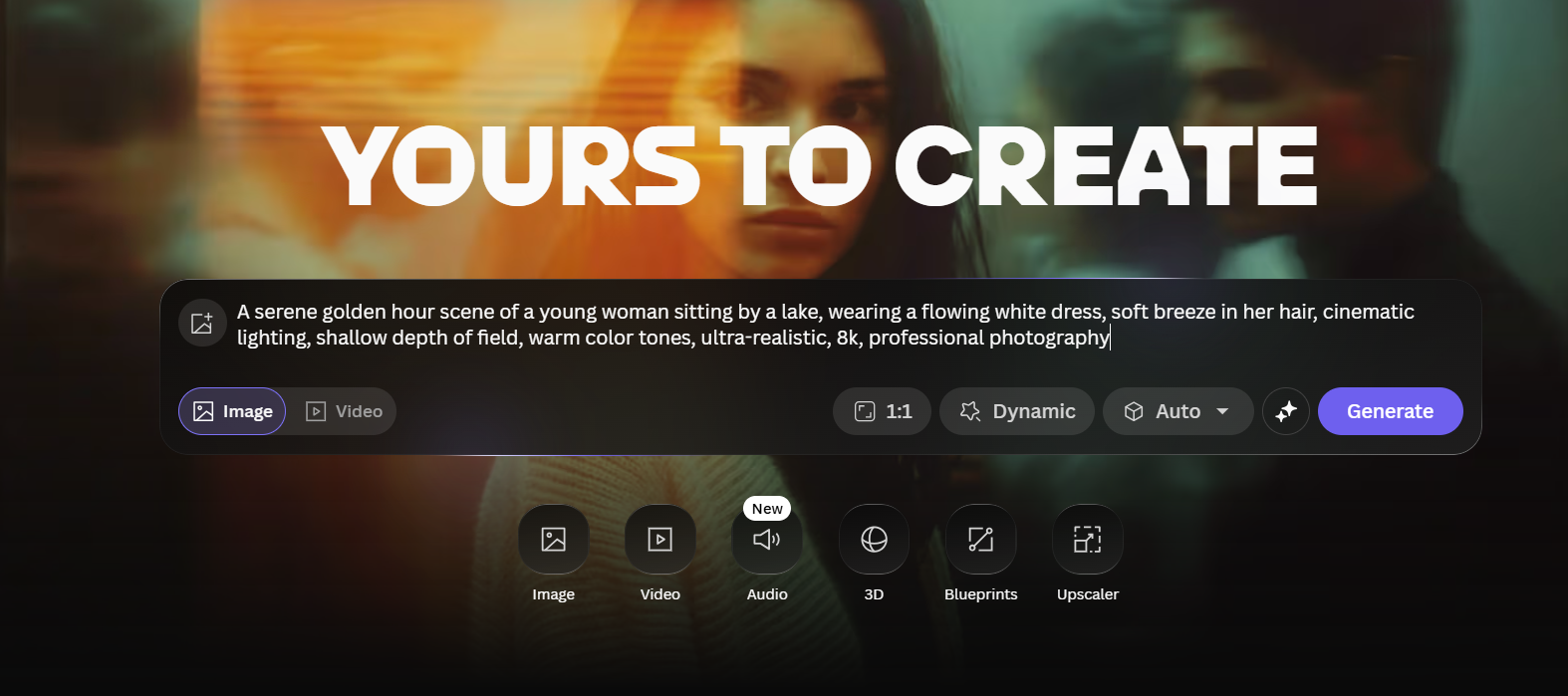
I tested the tool with the following prompt: A young woman in a flowing white off-shoulder dress sits by a calm lake at golden hour, the water reflecting the warm hues of the sunset in a photorealistic manner, with a gentle breeze stirring her hair.
The results are truly amazing: The lighting, skin tones, and that beautiful golden-hour glow were all perfectly captured. Not to mention the lovely details in the dress and the movement of the hair.
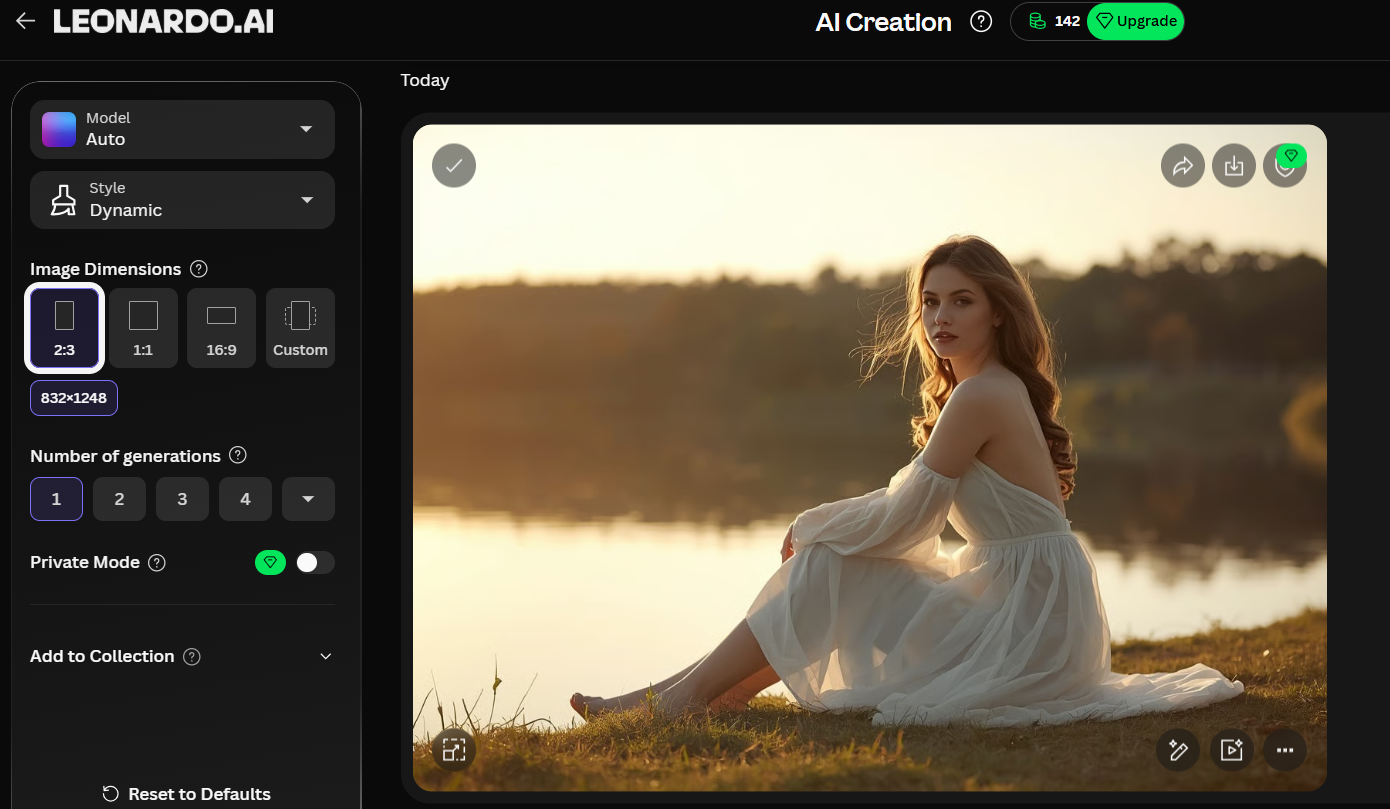
Overall: I think this AI is great for people who want nice, professional-looking images with good lighting and realism as part of their free AI toolkit. It may not be the best for up-close shots, but it looks fantastic in a more cinematic view. Great for bloggers and content creators.
4. Ideogram AI — Best for Text-in-Image Generation
Ideogram AI is the best option in this free AI toolkit if you want to add any text to your images accurately. It can be applied to posters with a specific font or text that should appear on social media images, making them readable. To use this service, you only have to write what you want in a prompt with the corresponding text in quotation marks.
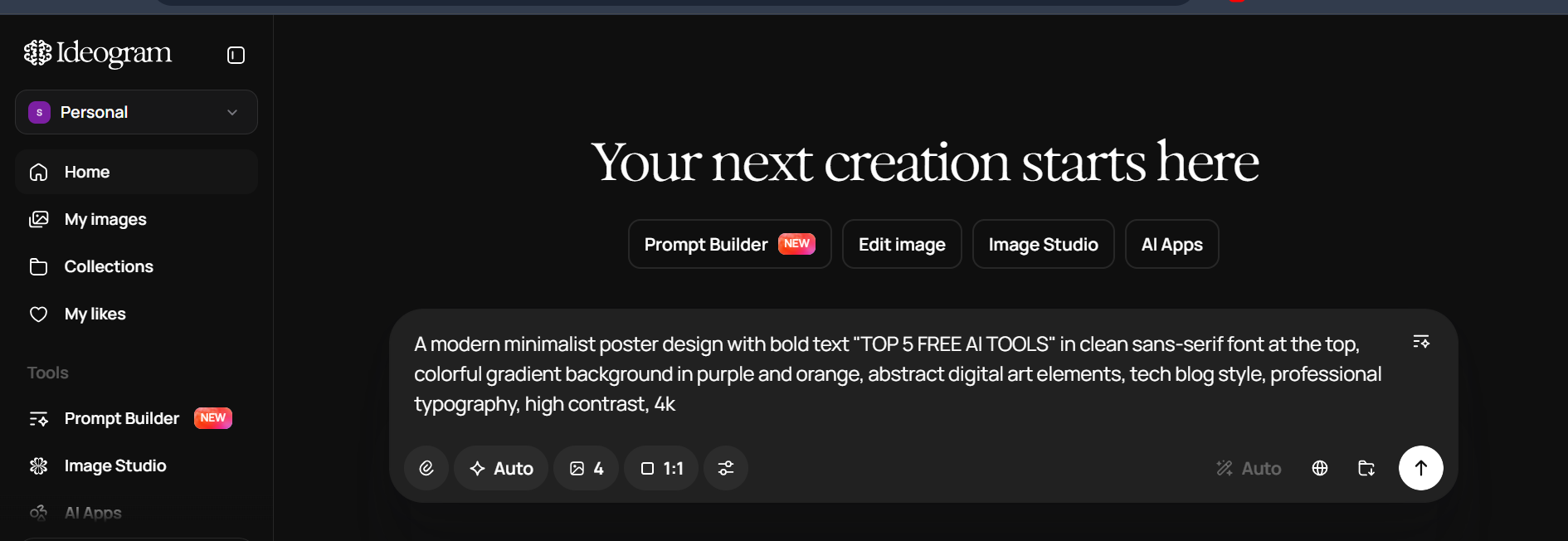
I tested the tool using the following prompt: A modern minimalist poster design with bold text “TOP 5 AI TOOLS” in clean sans-serif font at the top, colorful gradient background in purple and orange, abstract digital art elements, tech blog style, professional typography, high contrast, 4k
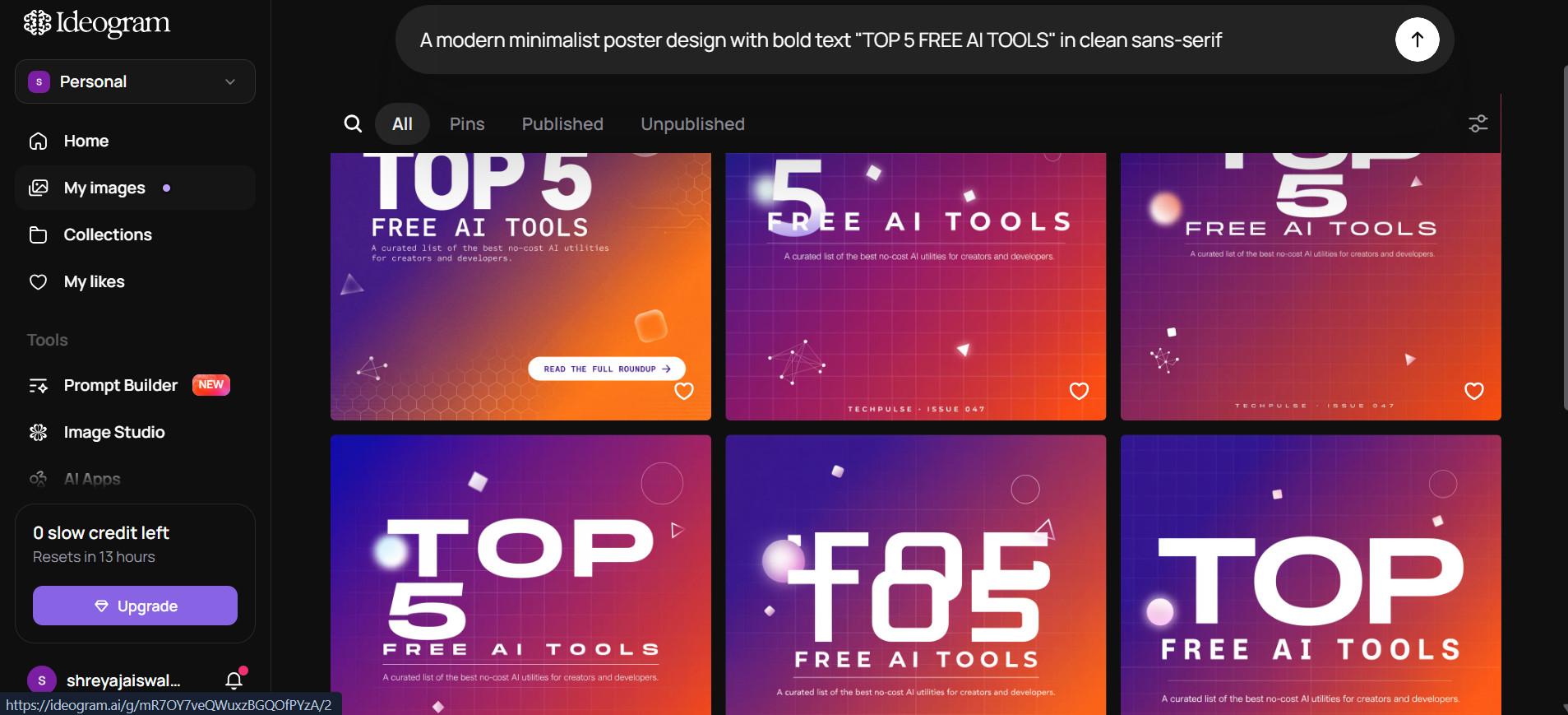
Overall: Ideogram AI is the best free tool in this toolkit for designing text images such as posters and banners because the text was rendered accurately each time. The only reason I gave it a 7 instead of an 8 or 9 is the limited free credits, which restrict experimentation for someone trying to create several variations before settling on one.
5. Nano Banana 2 — Best for Experimenting with Styles
Nano Banana 2, which runs on Google’s Gemini, rounds out the image-generation section of this free AI toolkit with its incredible ability to generate photorealistic images, as well as edit them through simple conversation. Rather than re-writing the prompt, users only have to ask for changes (“make it nighttime,” “add a cat,” etc.) and the image will update to reflect these changes.
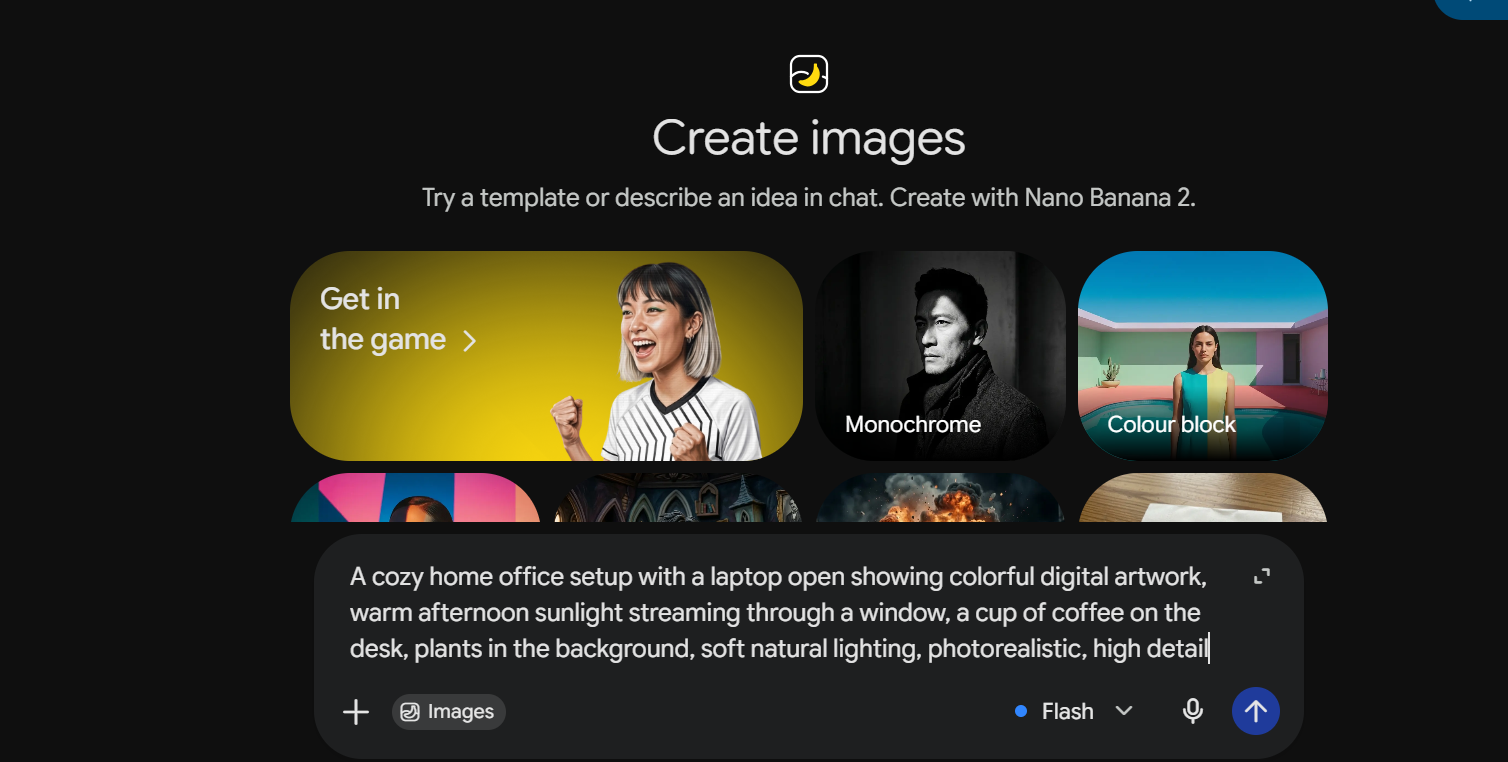
I decided to test the prompt: A home office setup with a laptop open on colorful digital artwork, a cozy afternoon with sunlight coming through the window, a steaming cup of coffee on the desk, and plants in the background. I added “photorealistic” and “high detail” to see if the AI would generate something that looks like a real photo. The image the AI produced is indeed very realistic in terms of lighting and detail.
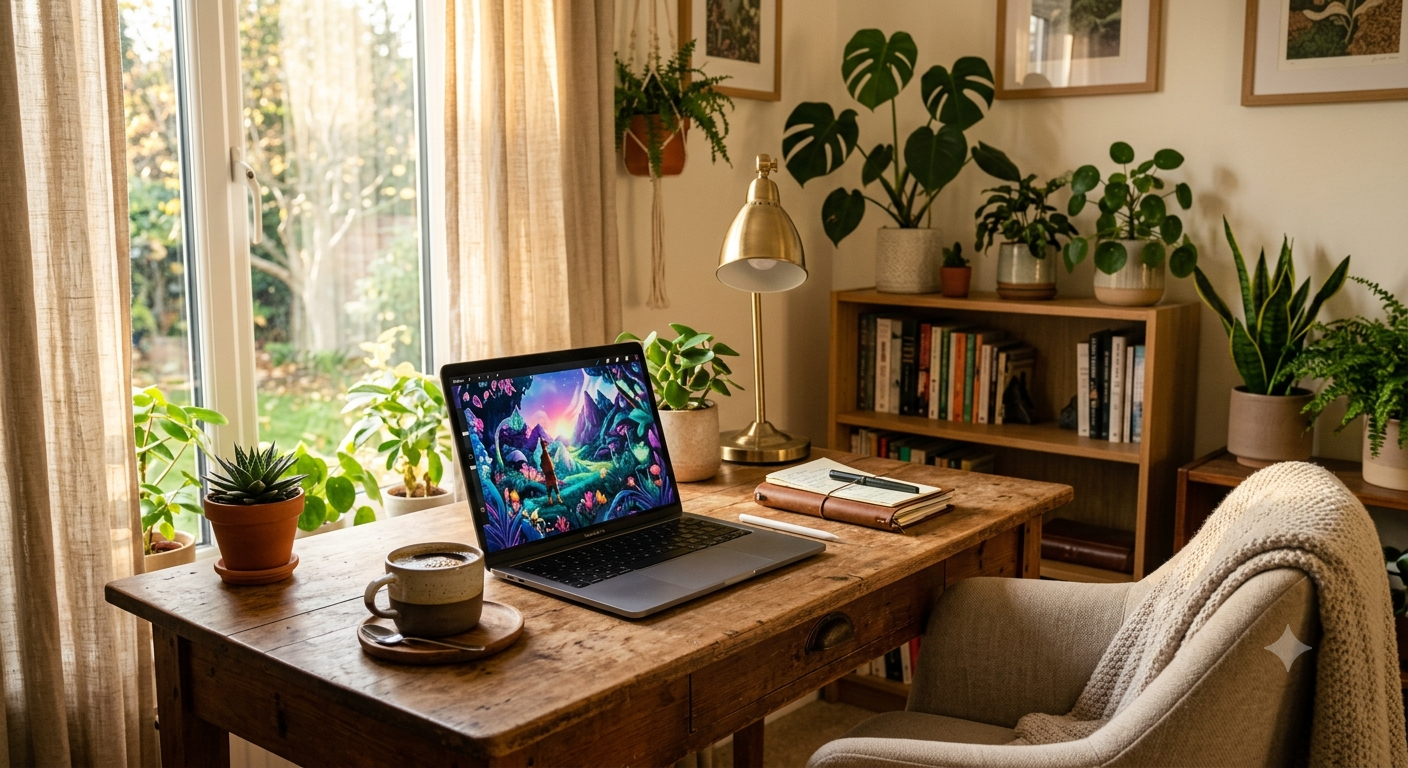
Overall: Nano Banana 2 is a good choice for bloggers who want to create quick realistic images of lifestyle, workspace, and other everyday scenarios — a genuinely useful free AI toolkit pick. It also has a conversational interface for editing images, which makes the process intuitive and quick. The number of daily free images is sufficient, yet the premium “Pro” quality requires upgrading the account.
Top 5 Free AI Video Generators
No free AI toolkit is complete without video tools, so here are the five best free options for turning images and prompts into motion.
Vheer — Best Free Online AI Tool for Camera-Controlled Videos
Vheer is a free online AI tool that allows you to control the movement of the camera separately from what happens in the video. You can also get started right away since it does not require you to log in — one of the easier entries in this free AI toolkit.
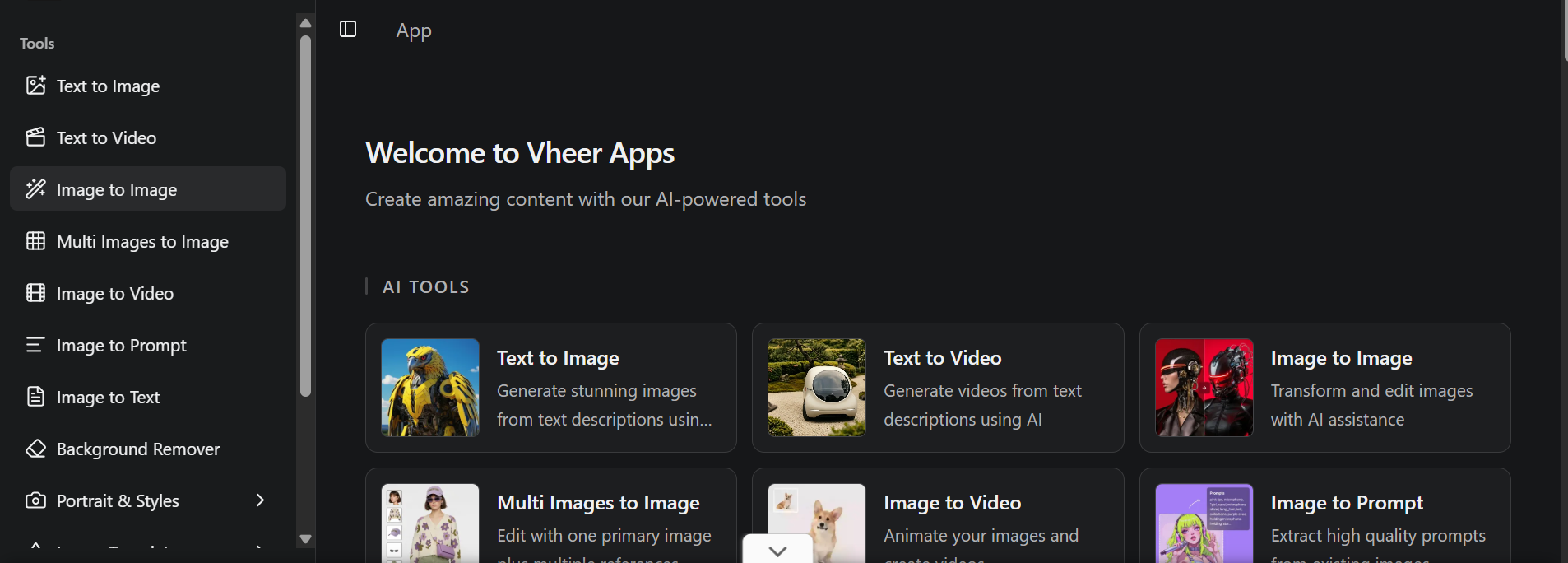
What makes Vheer different:
- Generate images and videos from one platform.
- No need to sign in.
- The prompt is divided into two: action prompt and camera instructions.
- A free-to-use “quality” model (Pro and Max are behind a paywall).
- Allows for horizontal and portrait video.
How to create a video with Vheer:
- Open Vheer and select Text to Image at the top to generate your starting image
- Write a clear prompt
- Choose the free quality model — skip Pro and Max since they need payment
- Pick your aspect ratio (16:9 works well for horizontal videos)
- Download your image for free — no signup prompt appears
- Switch to Image to Video and upload the image you just created
- Fill in the action prompt (what should happen in the scene)
- Fill in the camera prompt separately (for example, “a dolly shot circling the object”)
- Hit generate and let Vheer render the final clip
Kling AI — Powerful AI Tool for Realistic Camera-Controlled Videos
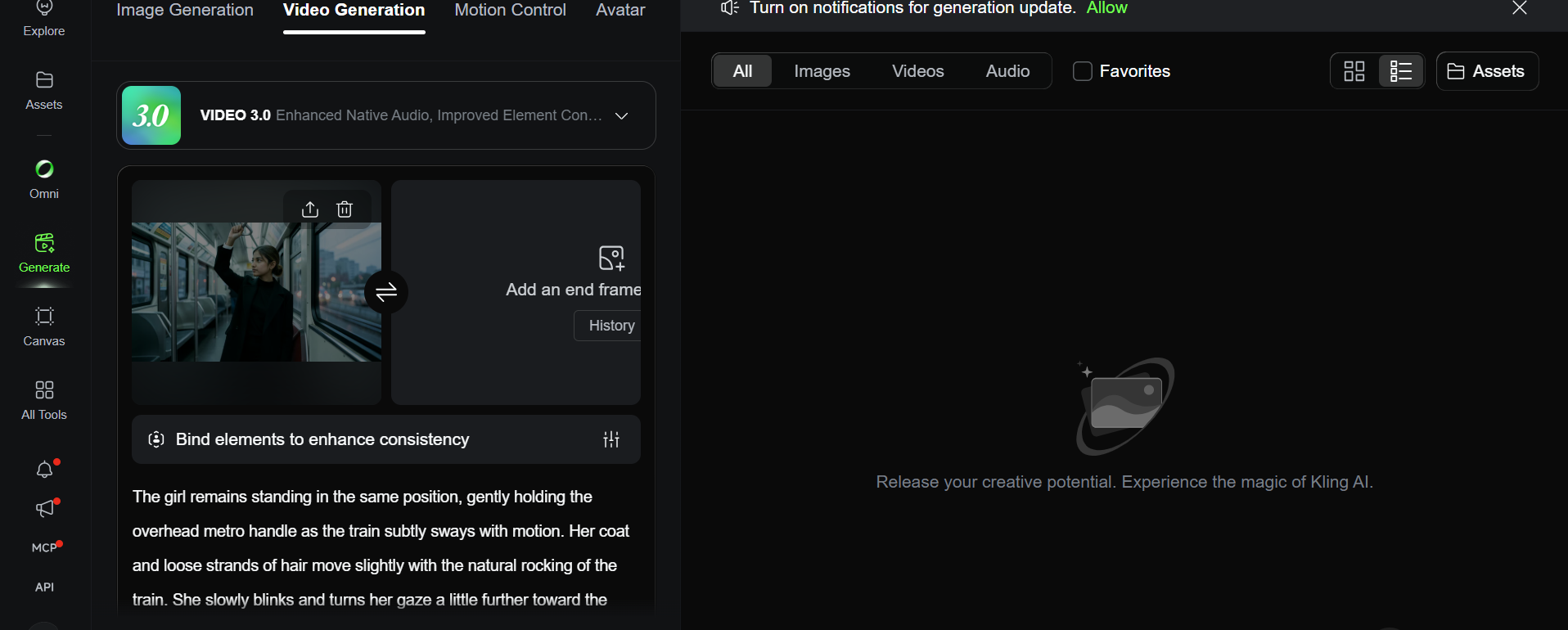
Kling AI is a popular tool in this free AI toolkit that converts photos and text prompts into high-quality, cinematic videos. It’s especially known for its realistic motion, natural physics, and smooth camera movement — as we found out ourselves through hands-on testing.
What makes Kling AI unique:
- Ability to create videos from text and images within one platform
- Get started for free with no payments needed (new users receive daily credits)
- Natural motion and physics
- Variety of length and resolution options (5s, 10s)
- Natural camera movements and subject motion without any unwanted artifacts
Real example — our test: We took a static photo of a girl in a metro train, wearing a long black coat, holding the handle, with blurred city lights in the background, and used it as an input for Kling AI’s image-to-video function.
The result was quite impressive — Kling AI 3.0 changed the still image into a 5-second video where the girl’s head moves slightly, her eyes blink, her coat and hair move as if she was on a train, and the cars and lights in the background move by, indicating the train’s movement. The result is a video that looks real and cinematic without any face distortion.
Meta AI(vibes) — Free Tool for Unlimited AI Video Generation
Meta AI announced its return with a powerful update — you can easily create AI videos for free, without limits, making it one of the standout tools in this free AI toolkit. The software allows you to generate video content from text prompts or images and has an option for automated video creation in bulk.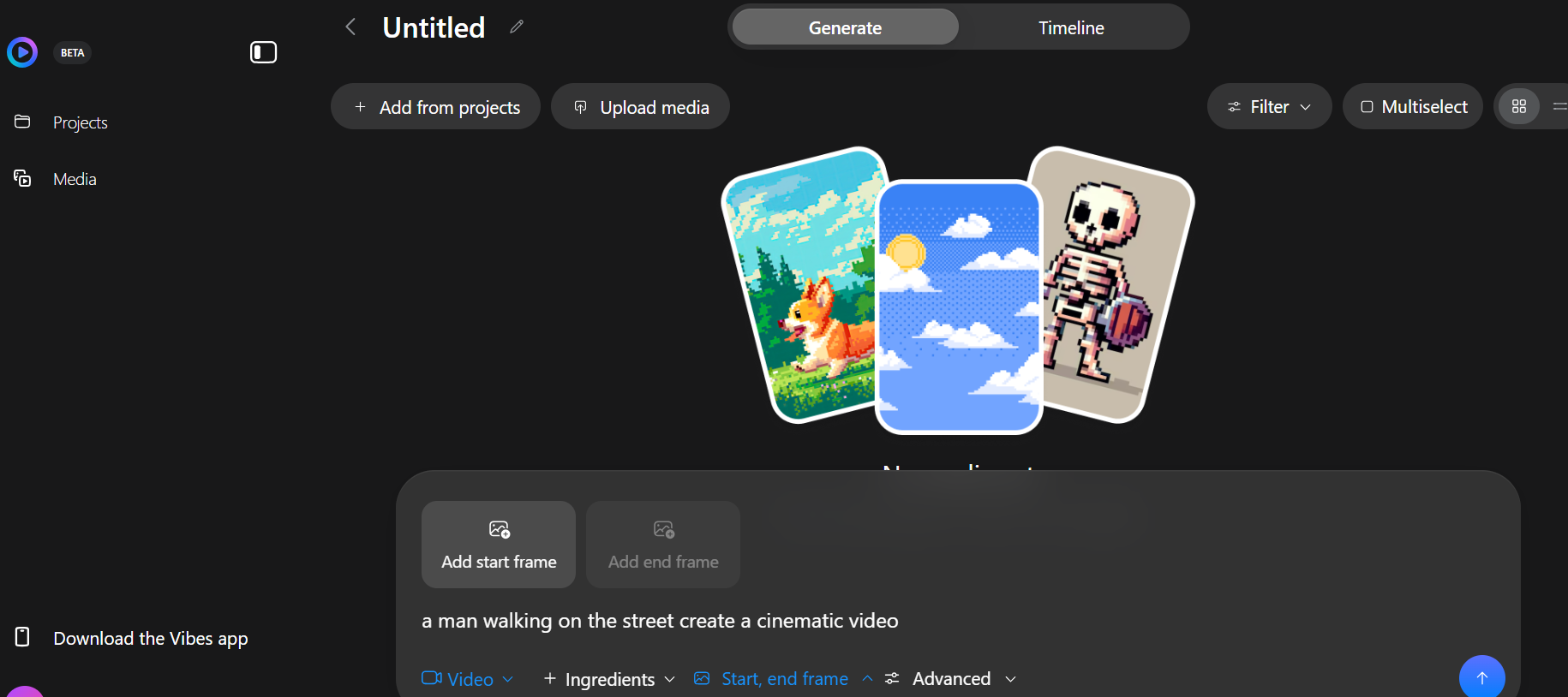
What makes Meta AI special:
- Generates unlimited AI videos and images for free
- Turns text prompts and photos into videos on the same platform
- Offers both vertical and horizontal (16:9) options
- Lets you extend videos, either automatically or manually, for longer-length content
Real example — our test: We entered a photo of a man in a long dark coat and a dark hat walking on a rainy evening street with glowing neon signs. Meta AI converted this into a 5-second video in which the man walks forward naturally, his coat swaying with each step, the wet street reflects the neon lights realistically as he moves, and the background lights and signage stay sharp without flickering or distortion.
Google Vids — Free AI Tool to Turn Images into Realistic Videos
Google Vids is Google’s own AI video generation tool, built right into the Google Vids editor, and it’s one of the simplest tools to add to a free AI toolkit. It converts static photos into short animated videos using simple text prompts, making it one of the easiest free tools for beginners to get started with AI video.
What makes Google Vids unique:
- Turns any static image into a quick video with a text prompt
- Each video is generated in just 10–30 seconds
- Has a generous free tier of about 10 video clips per day, or 300 per month
- Natural, lifelike animations with no special skills required
Realistic example: Our team used an illustrated image of a little boy in denim overalls and a white rabbit in a bow tie walking down a garden path of flowers and trees as an input for Google Vids’ animate-an-image feature. The output shows the boy and the rabbit walking a natural, smooth distance, with trees and flowers gently swaying in the background — the whole clip looks like a short movie with a lively cartoonish plot.
Arena AI — Free Tool That Compares Two AI Video Models Side-by-Side
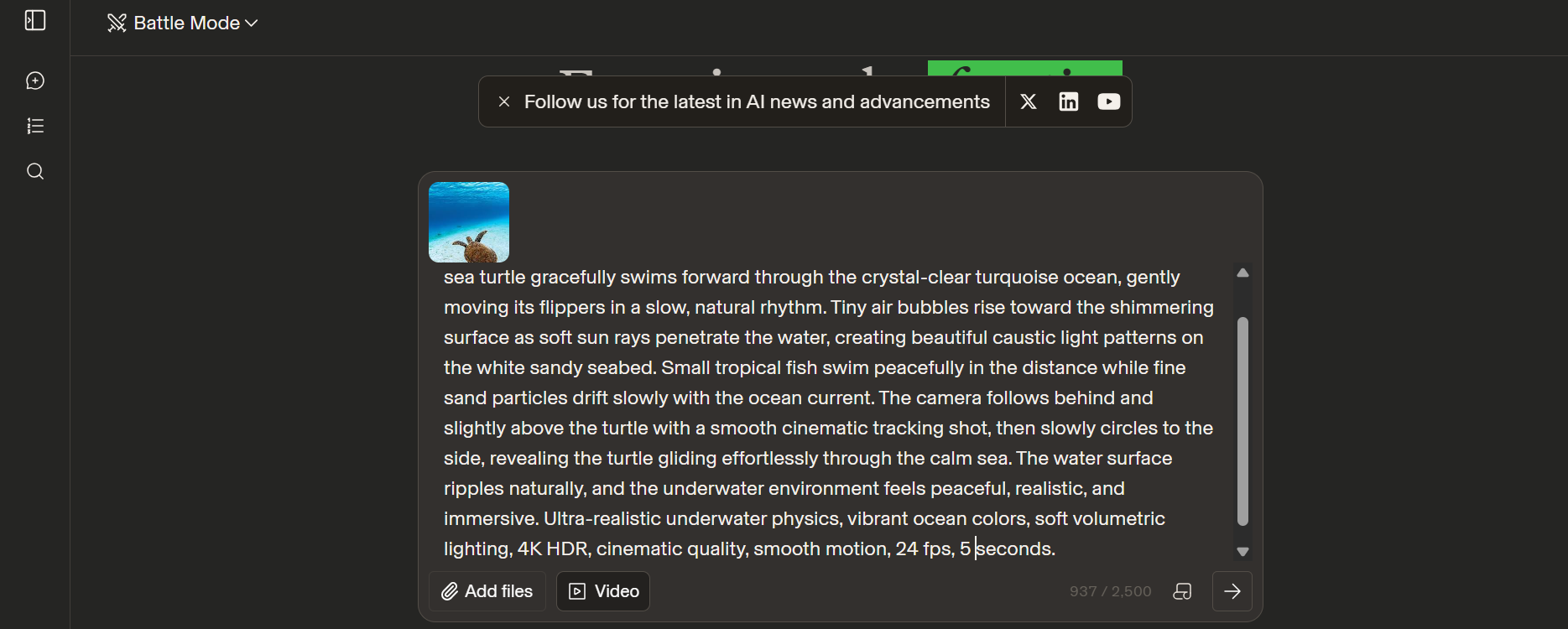
Arena AI stands apart from other tools in this free AI toolkit because it gives you two different results for the same prompt. You can see which video is better and choose which one to use. Many different companies contribute their video models to this tool so that users can test them out and give feedback for improvement.
What makes Arena AI unique:
- The tool creates two videos using two different AI models with the same prompt.
- High quality at 1080p, which is rare for most free AI video generators
- You can see which one looks better and delete the other one
- Option to export a video from 5 to 15 seconds long
- The watermark is only at the end, so it is easy to cut it
Our test: We took a clear underwater photo of a sea turtle swimming above the sandy ocean floor with sunlight penetrating the turquoise water from above, and used this as input for Arena AI’s image-to-video conversion. The converted video shows the turtle paddling its flippers naturally, moving forward through the water exactly as it would in real life, while sunlight ripples and shimmers realistically across the surface above and the turtle’s shadow shifts along the sandy floor as it swims.
Overall: Arena AI is a strong choice when you need advanced animation and high-quality clips as part of your free AI toolkit. Since it lets you compare two models on the same prompt, it’s especially useful for projects where getting the most realistic, highest-quality result matters more than speed.
Top 5 Free AI Voice Generators
Rounding out this free AI toolkit are five voice generation tools that turn text into natural-sounding speech at no cost.
TTS Maker — Turn Text into Speech for Free
TTS Maker is a straightforward free text-to-speech generator, and a natural fit for any free AI toolkit, that allows you to transform written text into speech audio without any cost in a matter of seconds. It is a useful tool that helps you create engaging audiobooks and podcast episodes out of text content and save hundreds of hours of time spent recording voiceovers manually.
Final thoughts: TTS Maker is one of the most efficient and convenient tools in any free AI toolkit for those who want speech synthesis without a subscription. It helps save time while preparing video materials for YouTube, training, or presentations.
Google AI Studio — Generate Free Realistic AI Voice
Are you looking for a free AI voice generator that can create realistic and emotional voices? Google AI Studio is one of the best free text-to-speech tools in this free AI toolkit, delivering outstanding results with the help of Google’s advanced artificial intelligence.
Final thoughts: Google AI Studio is among the best free text-to-speech generators. It can create natural sounding voices with emotion, making it great for YouTubers and anyone who wants to skip hiring a voice-over artist.
Filmora — Generate Free AI Voice for Your Videos
Do you want to add an AI voiceover to your videos for free? Filmora provides an inbuilt text-to-speech feature, making it a convenient addition to any free AI toolkit, letting you convert any text script into speech audio that sounds natural.
Final thoughts: Filmora is a good choice for creators who want to generate AI voiceovers right in their video editor. Although the free option has some drawbacks, such as a watermark and limited voice options, it’s a valuable addition to any free AI toolkit for creators who don’t want to spend money on extra software.
Speechify — Generate Free AI Voice Online
Looking for the best text-to-speech software to turn your text into a natural-sounding voiceover without spending a fortune? Speechify Studio is a strong pick for your free AI toolkit, letting you produce speech from your script within seconds.
Final thoughts: Speechify Studio is a powerful tool that converts any script into a natural AI voice with ease of use. Though the full version has some limitations on the free plan, it’s a good way to get a feel for the voice quality before committing.
Eleven Reader — Free AI Voice Testing Tool
Are you looking to try voices before using your Eleven Labs credits? Eleven Reader is a free application from Eleven Labs that rounds out this free AI toolkit by letting you generate voice previews for free.
Final thoughts: Eleven Reader is a great tool in any free AI toolkit that lets users preview and test voices before purchasing full voice-generation software. By testing scripts and voices on Eleven Reader, users can guarantee the best result for their money while saving credits for the most important parts of their video.
Conclusion: Start Building Your Free AI Toolkit Today
This free AI toolkit provides all the tools you need to create fantastic images, videos, and natural-sounding voices. You can use these tools for free to generate images, videos, and voices without spending a penny. Bloggers and content creators can use these fifteen extraordinary tools in 2026 to fulfill all their creative needs.
On the other hand, using these tools requires knowledge and understanding of how to use them strategically. Therefore, if you want to advance your skills and learn how to use AI beyond the experimental phase or become a digital marketing expert, you need to consider IP Tech Institute. Their mentors are professional and experienced and can help you learn the necessary concepts hands-on.
Therefore, enrolling at IP Tech Institute can be a great way to invest in your expertise and transform your interest in AI and digital marketing into a sustainable skill.
Frequently Asked Questions (FAQs)
Q. Is Kling AI free? What about free trial?
A. Yes. Kling AI provides daily free credits that allow one to make 5–6 short AI videos every day for free.
Q. How can I convert image to video with Kling AI online?
A. The process of image to video conversion in Kling AI is very simple – one has to upload a desired image, write a motion prompt (20–30 words), choose the length and ratio, and click generate. A few minutes later, one gets a cinematic video out of an image.
Q. Does Kling AI watermark free videos?
A. Yes, one can expect a small watermark on videos generated with free credits.
Q. What is the best prompt formula for Kling AI image to video?
A. Prompt formula: 4 elements, up to 30 words. 1. Subject 2. Action 3. Setting 4. Style.
Q. Best Free AI Toolkits for Beginners?
A. Bing image creator and Perchance AI are the best options for newcomers to the world of AI image creation. They don’t require registration and allow you to get results right away, so they are perfect if you want to try this interesting sphere without spending much time on the learning process.
Q. Which AI tool creates videos from images for free?
A. Kling AI, Google Vids, Meta AI, Vheer, and Arena AI all allow for converting a still image into a short video for free. In particular, Kling AI and Google Vids allow for creating videos with photorealistic motions and physics.
Q. Which AI video generator gives the highest quality for free?
A. Arena AI stands out by offering 1080p quality on its free tier, which is rare compared to most free AI video tools that cap out at 720p.
Q. How many free credits does Kling AI give per day?
A. Kling AI typically gives new free users a set number of daily credits (around 60–70), enough for a few short video generations before you need to wait for the next reset or upgrade.